This information is for superusers (administrators).
Adding Units Using the New UI
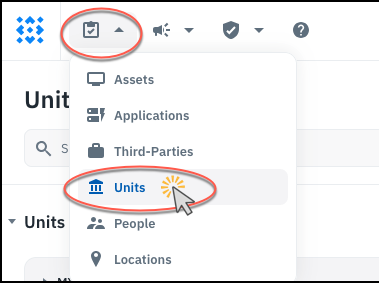
- On the Inventory menu, go to Units.
-
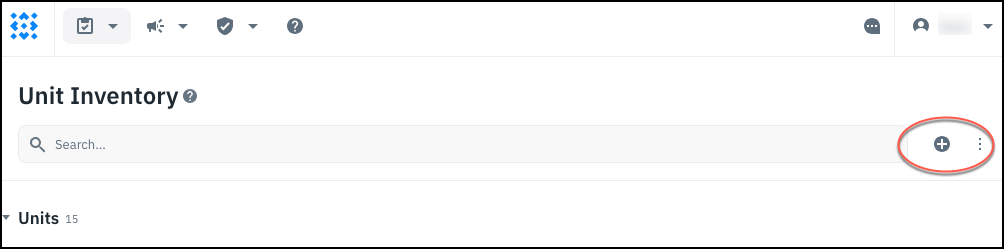
Click the + sign to add a new unit.
-
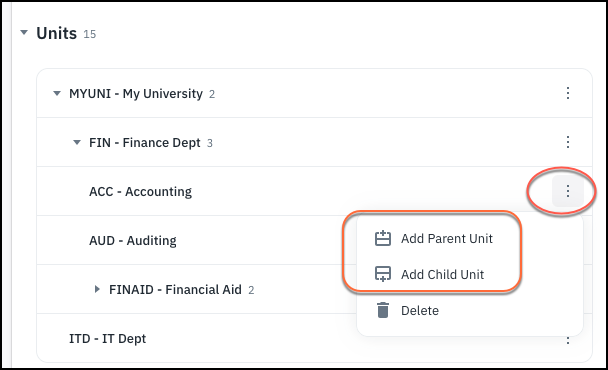
If you have units, there are also options to add a new parent or child to an existing unit.
-
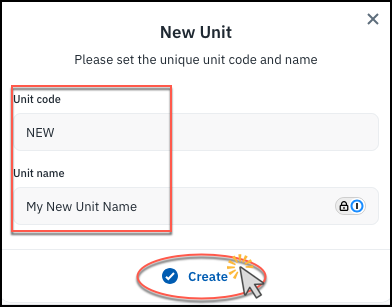
In the dialog, assign a unique code and name to the new unit, and click Create.
-
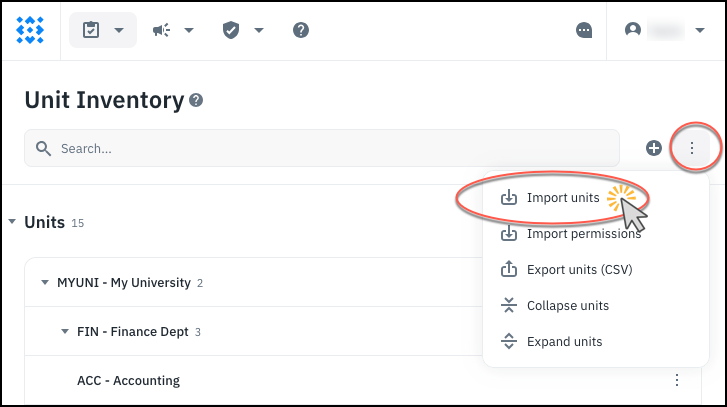
If you have a lot of units to add, you can use Import Units to import them from a CSV file.
Using the Old UI
Organizational Units are referred to as “units” in Isora GRC’s new UI.
- On the Settings page, go to Organizational Units.

- Use the CSV upload button to add a CSV containing multiple units at once.

(See also: Reference: (Organizational) Unit CSV Upload )
- Or you can add a single unit by clicking the + button.

- Fill in the fields.

- You can optionally use the Permissions area to add people who are already in Isora GRC to this unit. Click the + button to assign a user to this OU, and select their role from the drop-down list.

- Click Save to finish.
See also: