This information is for superusers.
When you create a new assessment, you get to choose the instructions to include. Isora GRC contains default instructions. You can modify these instructions and save your changes to an existing or new template.
Where do the instructions show up for participants?
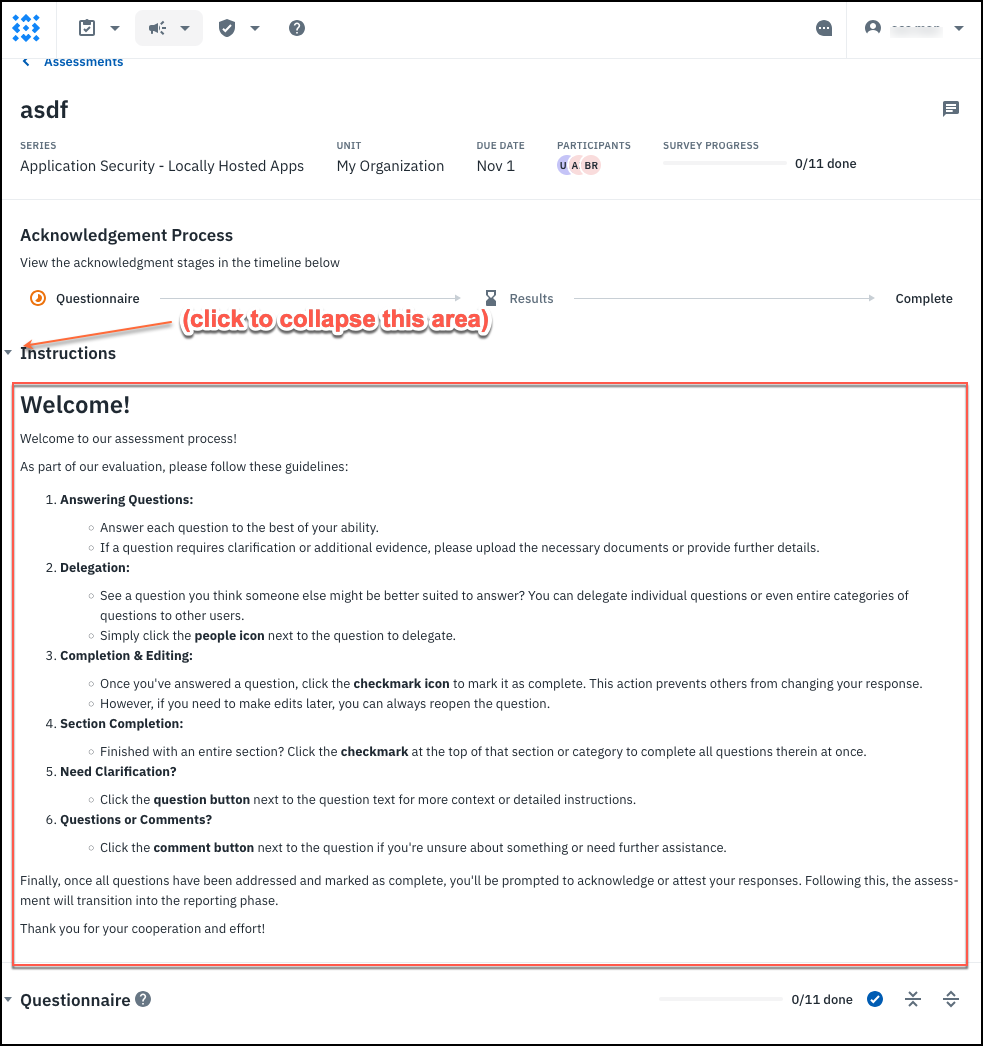
They show at the top of a survey, just above the enrichment or questionnaire area, as pictured below.
How do I change or update the instructions?
You can’t change the instructions on an assessment that has already launched. You can change them for a new assessment and save the changes as a template to be reused in future assessments.
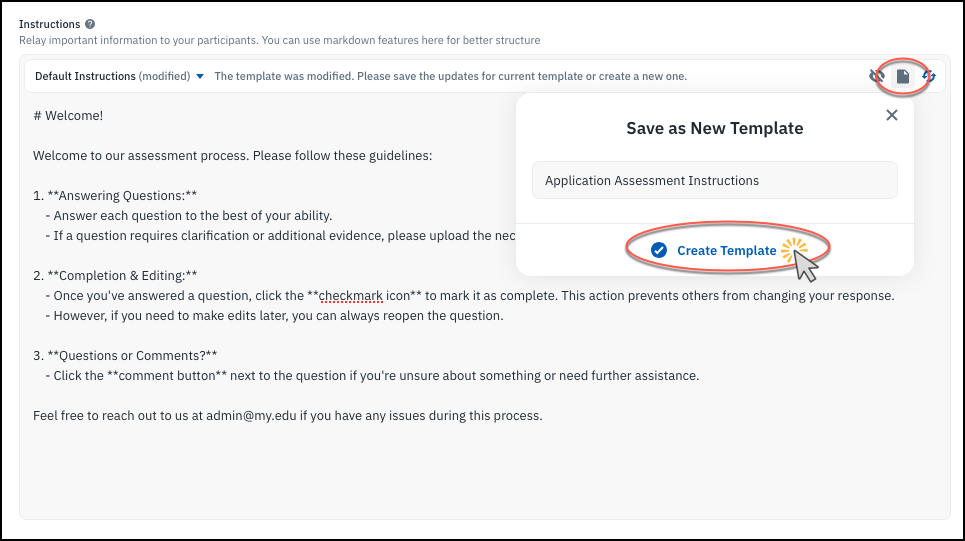
In the New Assessment wizard (for any methodology), you can click in the instructions area and start editing. Markdown is supported. Then click a button to save it as a new template.
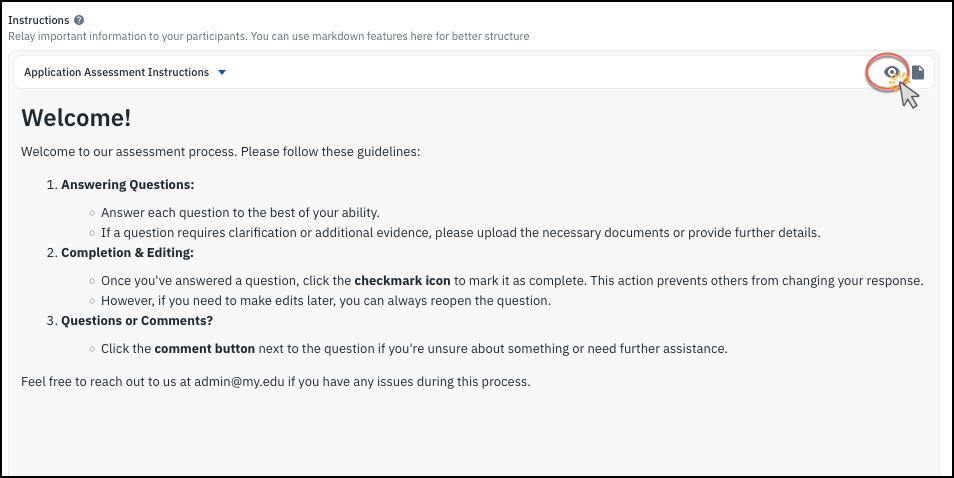
You can use the eye button to toggle between the editing and previewing what the Markdown formatting will look like for your participants.
All of the instructions templates are available when you create any new assessment. You may want to create specific instructions for different types of assessments. Currently only superusers can edit or save instructions templates.